 Link Verdict
by Snagbane
Link Verdict
by Snagbane
Link Verdict
by Snagbane
Link Verdict
by Snagbane
Link Verdict tells a real 404 apart from a page that's just blocked by Cloudflare, Akamai, or a bot-protection challenge — instead of calling both "broken" and sending you on a wild goose chase.
Free forever for up to 50 links · No credit card to install
If a link you pointed to is protected by Cloudflare, Akamai, Incapsula, PerimeterX, DataDome, or Sucuri, those firewalls often reject an automated checker with a 403, 503, or a "checking your browser" page — and most plugins report that as broken, even though a real visitor gets the page just fine. Link Verdict tells the two apart.
The page is actually gone — a genuine 404/410, or the domain no longer resolves.
The request was rejected by a firewall or bot-protection service, not because the page is gone.
A timeout, server error, or SSL issue worth trying again before calling it either way.
Responded normally, including redirects that land somewhere that still works.
The actual admin screen — nothing staged, this is what you get.

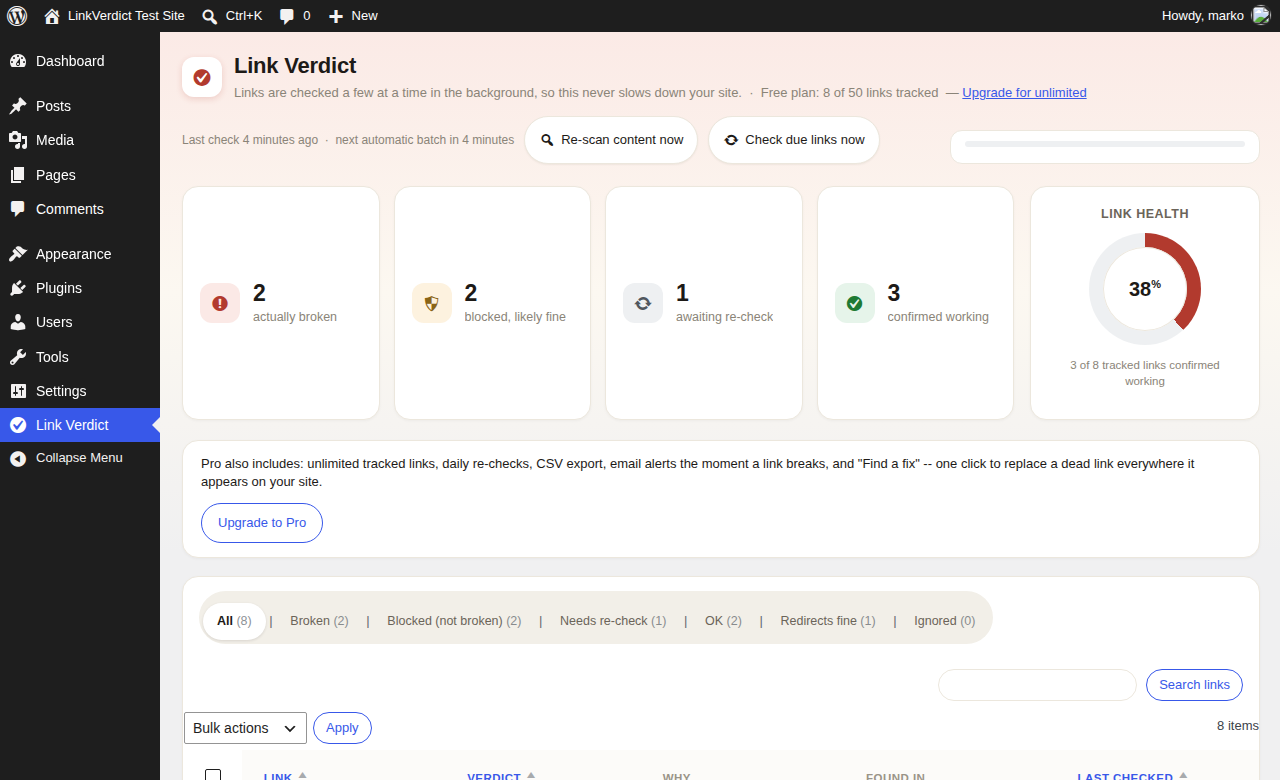
The main screen: broken, blocked, and working links at a glance, with a live link-health score.

Filtered to "Blocked (not broken)" — the exact links that would've been false alarms anywhere else.
Link Verdict scans your published posts and pages for links, including ones rendered by page builders and dynamic blocks.
Every link is checked in the background on WordPress's own cron — never inline while a page loads, so it never slows your site down.
The admin screen surfaces what actually needs attention first, with one-click re-checks and bulk actions for cleaning up a whole list at once.
The full verdict engine — including firewall/bot-protection detection — is in the free version. Not held back for a paid tier.
✓ 7-day money-back guarantee on every paid plan, no questions asked.
Exact pricing and site counts are shown at checkout. 7-day money-back guarantee on every paid plan.
Every other broken-link checker we tried treated a firewall's "go away" the same as an actual dead page — which meant every report was half false alarms. Link Verdict is our attempt to fix that one specific, annoying problem properly: tell you what's actually broken, and what just looks that way to a bot.
It's a small, focused tool. If it saves you from chasing a link that was never actually broken, it's done its job.
No FTP, no command line — this is the same way you'd install any WordPress plugin. Everyone starts with the free plugin below, even if you've already bought Pro — Pro is a small add-on that sits on top of it, not a replacement.
Use the "Download directly" button below — it's the free plugin's .zip file, ready to install. Required first, whether or not you're getting Pro.
In your WordPress admin, go to Plugins → Add New Plugin → Upload Plugin, then choose the .zip you downloaded.
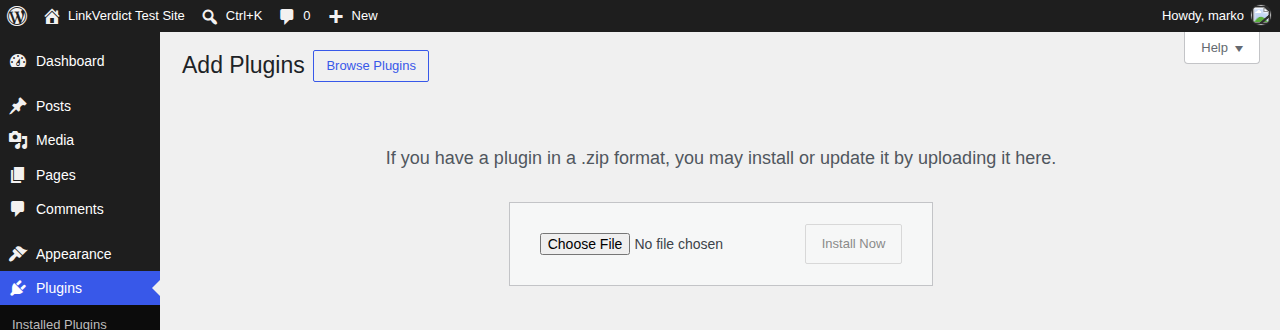
Click Install Now, then Activate Plugin once it finishes. It'll show up in your Plugins list, active and ready.
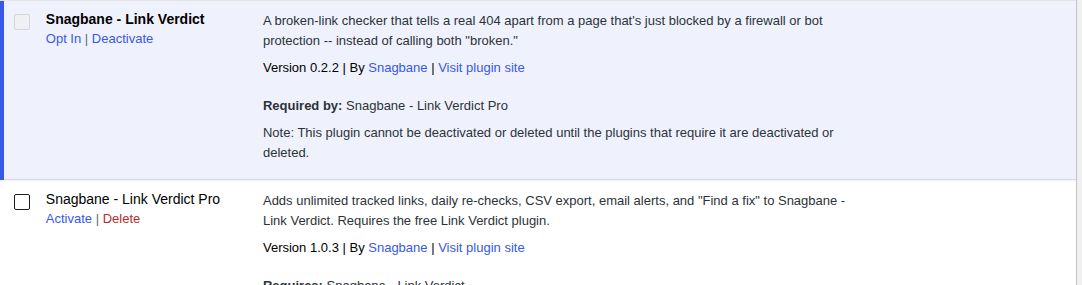
A new Link Verdict item appears in your admin sidebar. Your first scan starts automatically within about 10 seconds.
Right after checkout, Freemius emails you the Pro .zip and a license key. Upload & activate the Pro plugin the same way as above (steps 02–03) — it'll then show an "Activate License" box. Paste the key from that email in and you're done.
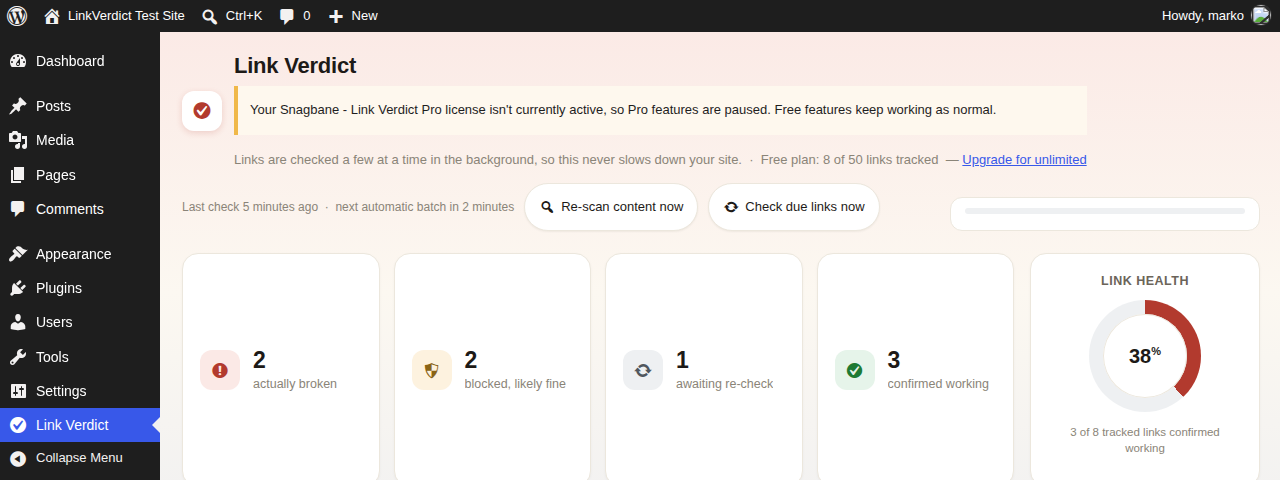
This is what you'll see if Pro is installed before you activate your license — paste your key in and it clears, unlocking Pro.
Requires WordPress 5.8+ and PHP 7.4+. If your host blocks direct .zip uploads, ask them to raise the upload_max_filesize limit — the file is well under 2 MB.
Activation only needs that license key pasted in — nothing is tied to your email automatically. Lost the email? Recover your key anytime from the Freemius Customer Portal.
Free to install, free for up to 50 links, no credit card required.
Also submitted to WordPress.org — pending review, link added here once it's live.